AI Agent Practical Bootcamp: Build Your General-Purpose Agent in 9 Weeks
[This article is based on the first live session of the Turing Community AI Agent Practical Bootcamp. See the slides link and download the PDF version.]
Purchase link for Turing Community “AI Agent Practical Bootcamp”
Developing your own AI Agent starts here. This article not only systematically introduces the foundational technical path for building a general-purpose AI Agent from scratch (such as context engineering, RAG systems, tool calling, multimodal interaction, etc.), but also covers advanced techniques such as slow/fast thinking and multi-Agent collaboration. Through 9 weeks of hands-on projects, you will gradually master the full lifecycle of Agent development and core advanced capabilities.
This course was first previewed via livestream on August 18 and will officially start on September 11. Each weekly session is about 2 hours and covers all the fundamental and advanced content below. Of course, 2 hours of lectures per week is definitely not enough—you’ll also need to spend time on hands-on programming practice.
Core Goals of the Bootcamp
Developing your own AI Agent starts here
🎯 Master core architecture and engineering capabilities
- Deeply understand Agent architecture: Systematically grasp the core design paradigm of
LLM + context + tools. - Become proficient in context engineering: Master multi-level context management techniques from conversation history and users’ long-term memory to external knowledge bases (RAG) and file systems.
- Master dynamic tool calling: Reliably integrate Agents with external APIs and MCP Servers, and enable self-evolution via code generation.
- Build advanced Agent patterns: Design and implement complex Agent collaboration patterns such as slow/fast thinking (Mixture-of-Thoughts) and Orchestration.
💡 Build systematic understanding of development and deployment
- Understand the path of technological evolution: See clearly the evolution path from basic RAG to Agents that can autonomously develop tools.
- Master the full lifecycle of an Agent: Be capable of independently completing the closed loop of Agent project design, development, evaluation using LLM as a Judge, and deployment.
- Build domain knowledge: Accumulate cross-domain Agent development experience through multiple hands-on projects in law, academia, programming, and more.
- Solidify your knowledge system: Co-create the book “In-depth yet Accessible AI Agent” and turn fragmented knowledge into a systematic output.
9-Week Practical Plan Overview
| Week | Topic | Content Overview | Practical Case |
|---|---|---|---|
| 1 | Agent Basics | Agent structure and taxonomy, workflow-based vs. autonomous | Hands-on building an Agent that can search the web |
| 2 | Context Design | Prompt templates, conversation history, users’ long-term memory | Add role settings and long-term memory to your Agent |
| 3 | RAG and Knowledge Bases | Document structuring, retrieval strategies, incremental updates | Build a legal Q&A Agent |
| 4 | Tool Calling and MCP | Tool wrapping and MCP integration, external API calls | Connect to an MCP Server to implement a deep-research Agent |
| 5 | Programming and Code Execution | Understanding codebases, reliable code modification, consistent runtime environments | Build an Agent that can develop Agents by itself |
| 6 | Model Evaluation and Selection | Evaluating model capabilities, LLM as a Judge, safety guardrails | Build an evaluation dataset and use LLM as a Judge to automatically evaluate Agents |
| 7 | Multimodal and Real-Time Interaction | Real-time voice Agents, operating computers and phones | Implement a voice-call Agent & integrate browser-use to operate a computer |
| 8 | Multi-Agent Collaboration | A2A communication protocol, Agent team division and collaboration | Design a multi-Agent collaboration system to “operate the computer while on a call” |
| 9 | Project Integration and Demo | Final integration and demo of the Agent project, polishing final deliverables | Showcase your unique general-purpose Agent |
9-Week Advanced Topics
| Week | Topic | Advanced Content Overview | Advanced Practical Case |
|---|---|---|---|
| 1 | Agent Basics | Importance of context | Explore how missing context affects Agent behavior |
| 2 | Context Design | Organizing user memory | Build a personal knowledge management Agent for long-text summarization |
| 3 | RAG and Knowledge Bases | Long-context compression | Build an academic paper analysis Agent to summarize core contributions |
| 4 | Tool Calling and MCP | Learning from experience | Enhance the deep-research Agent’s expert capabilities (sub-agents and domain experience) |
| 5 | Programming and Code Execution | Agent self-evolution | Build an Agent that can autonomously leverage open-source software to solve unknown problems |
| 6 | Model Evaluation and Selection | Parallel sampling and sequential revision | Add parallelism and revision capabilities to the deep-research Agent |
| 7 | Multimodal and Real-Time Interaction | Combining fast and slow thinking | Implement a real-time voice Agent that combines fast and slow thinking |
| 8 | Multi-Agent Collaboration | Orchestration Agent | Use an Orchestration Agent to dynamically coordinate phone calls and computer operations |
| 9 | Project Integration and Demo | Comparing Agent learning methods | Compare four ways Agents learn from experience |
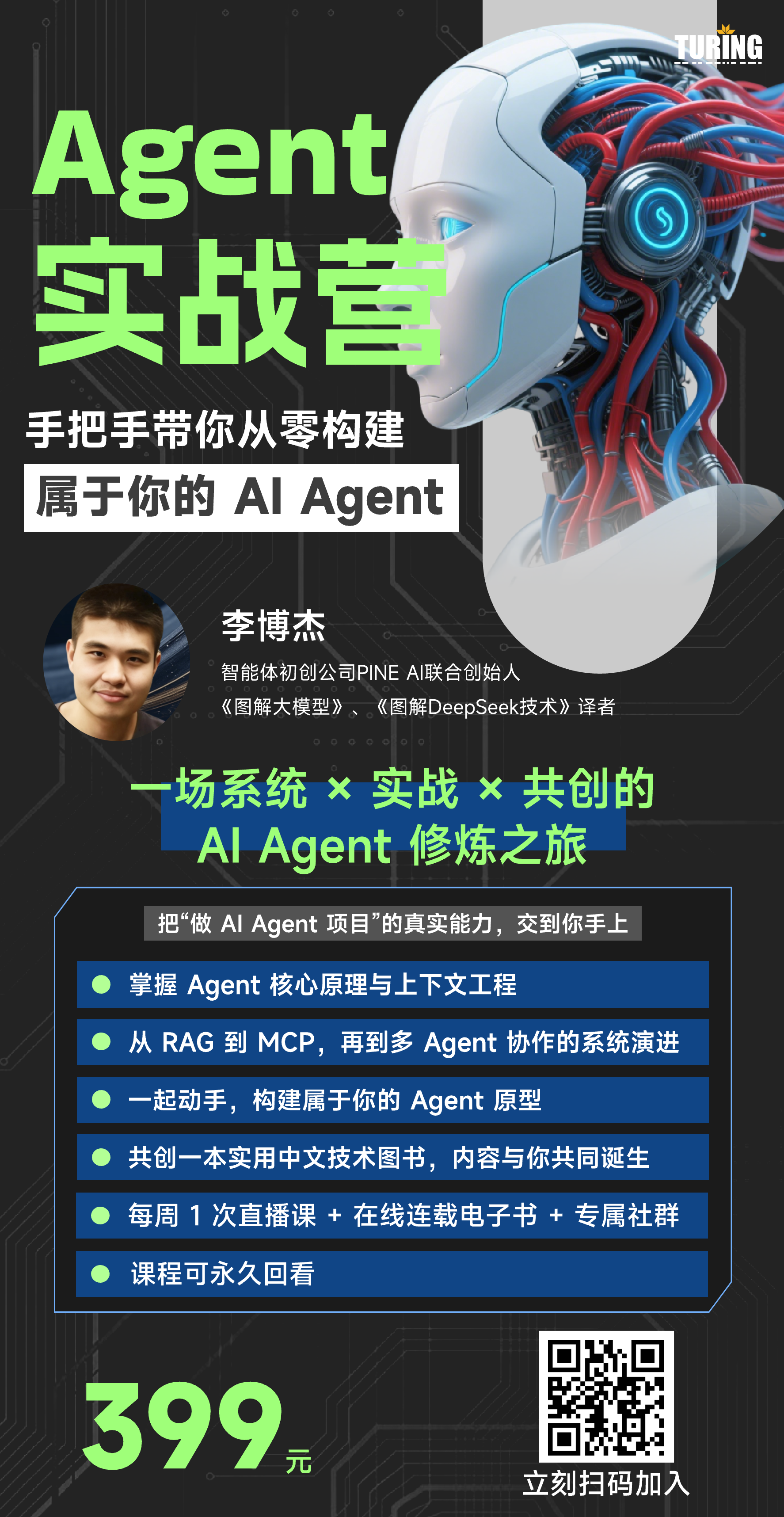 AI Agent Practical Bootcamp Introduction
Week 1: Agent Basics
Core Content
Agent structure and taxonomy
Workflow-based
- Predefined processes and decision points
- High determinism, suitable for automating simple business processes
Autonomous
- Dynamic planning and self-correction
- Highly adaptive, suitable for open-ended research, exploration, and solving complex problems
Basic framework and scenario selection
ReAct framework: Observe → Think → Act
Agent = LLM + Context + Tools
- LLM: Decision-making core (the brain)
- Context: Perception of the environment (eyes and ears)
- Tools: Interaction with the world (hands)
Practical case: Build an Agent that can search the web
Goal: Build a basic autonomous Agent that can understand user queries, retrieve information via a search engine, and summarize an answer.
Core challenges:
- Task decomposition: Decompose complex questions into searchable keywords
- Tool definition: Define and implement a
web_searchtool - Result integration: Understand search results and synthesize them into a final answer
Architecture design:
1 | ┌──────────────┐ |
Advanced content: The importance of context
Core idea: The context is the agent's operating system. Context is the only basis for an Agent to perceive the world, make decisions, and record history.
Thinking
- The Agent’s inner monologue and chain-of-thought
- Missing consequence: Makes Agent behavior a black box and prevents debugging and understanding its decision process
Tool Call
- The actions the Agent decides to take, recording its intentions
- Missing consequence: You cannot trace the Agent’s action history, making retrospection difficult
Tool Result
- Environmental feedback produced by actions
- Missing consequence: The Agent cannot perceive the consequences of its actions, which may lead to infinite retries or faulty planning
Advanced practice: Exploring how missing context affects Agent behavior
Goal: Through experiments, understand the indispensable roles of thinking, tool call, and tool result in an Agent workflow.
Core challenges:
- Modify the Agent framework: Modify the Agent’s core loop to selectively remove specific parts from the context
- Design controlled experiments: Design a set of tasks where Agents missing different types of context will show obviously different behavior or even fail
- Behavior analysis: Analyze and summarize what types of failures are caused by missing each kind of context
Experiment design:
1 | ┌─────────┐ ┌─────────────────────┐ |
Week 2: Context Design (Context Engineering)
Core Content
Prompt templates
- System prompt: Define the Agent’s role, capability boundaries, and behavioral guidelines
- Toolset: Tools’ names, descriptions, and parameters
Conversation history and user memory
- Event sequence: Model conversation history as an alternating sequence of “observations” and “actions”
- Users’ long-term memory: Extract key information about the user (such as preferences and personal info) from conversations, store it in structured form, and use it in future interactions
Practical case: Add role settings and long-term memory to your Agent
Goal: Improve the Agent’s personalization and continuity of service. The Agent should be able to speak in the style of a specific character (such as an anime character) and remember key information about the user (such as name and interests), then use that memory in subsequent conversations.
Core challenges:
- Role-playing: How to clearly define the character’s language style and personality in the prompt, and make the Agent consistently maintain this persona
- Memory extraction and storage: How to accurately extract key information from unstructured dialogue and store it as a structured JSON object
- Memory application: How to naturally incorporate the stored user-memory JSON into subsequent prompts so that the Agent genuinely appears to “remember” the user
Architecture Design:
1 | ┌─────────────┐ |
Advanced Topic: Organizing User Memory
Core Idea: Naively stitching memories together leads to context bloat, information conflicts, and outdated data. An advanced memory system needs to continuously organize, deduplicate, correct, and summarize a user’s long-term memories in the background, forming a dynamically evolving user profile.
Implementation Strategies:
- Memory deduplication and merging: Identify and merge memory entries that are similar or duplicated
- Conflict resolution: When new memories conflict with old ones (e.g., the user changes preferences), the latest information should take precedence
- Regular summarization: Periodically or during idle time in the background, use an LLM to summarize scattered memory points and extract higher-level user preferences and traits
Architecture Design:
1 | ┌───────────────────────────┐ |
Advanced Practice: Summarizing Your Diary into a Personal Report
Goal: Build an Agent that can process large amounts of personal text (such as daily diaries, blog posts) and, through reading and organizing these texts, ultimately generate a detailed and clear personal summary report.
Core Challenges:
- Long-text processing: How to handle diaries/articles whose total size may exceed the LLM context window
- Information extraction and structuring: How to extract structured information points (such as key events, emotional changes, personal growth) from narrative text
- Coherent summary generation: How to organize scattered information points into a logically coherent and highly readable summary report
Architecture Design:
1 | ┌─────────────────────┐ |
Week 3: RAG Systems and Knowledge Bases
Core Content
Document Structuring and Retrieval Strategies
- Chunking: Split long documents into meaningful semantic chunks
- Embedding: Vectorize text chunks for similarity search
- Hybrid retrieval: Combine vector similarity and keyword search to improve recall and precision
- Re-ranking: Use more complex models to re-rank the initial retrieval results
Basic RAG
- Knowledge expression: Use clear, structured natural language to express knowledge
- Knowledge base construction: Process documents and load them into a vector database
- Precise retrieval: Accurately locate relevant entries in the knowledge base based on user questions
Practical Case: Building a Legal Q&A Agent
Goal: Turn the Agent into a professional legal advisor. We will use public Chinese criminal/civil law datasets to build a knowledge base, enabling the Agent to accurately answer users’ legal questions and clearly point out the specific legal provisions on which the answers are based.
Core Challenges:
- Domain data processing: How to parse and clean structured legal text data, and optimize its retrieval performance in a RAG system
- Answer accuracy and traceability: The Agent’s answers must be strictly based on the content of the knowledge base, avoid free-form speculation, and must provide the legal sources
- Handling vague queries: How to guide users to ask more specific questions in order to match the most relevant legal provisions
Architecture Design:
1 | ┌──────────────────┐ |
Advanced Topic: Treating the File System as the Ultimate Context
Core Idea: Treat the file system as the ultimate context. An Agent should not stuff huge observation results (such as web pages, file contents) directly into the context, as this leads to high cost, performance degradation, and context window limits. The correct approach is to store this large data in files, and keep only a lightweight “pointer” (summary and file path) in the context.
Implementation Strategies:
- Recoverable compression: When tools return a large amount of content (such as
read_file), first save it completely in the sandbox file system - Summary and pointer: Only append the content summary and file path to the main context
- On-demand read/write: Through the
read_filetool, the Agent can read the full content from the file system on demand in subsequent steps
Architecture Design:
1 | 正确做法 ✅ |
Advanced Practice: Building an Agent that Can Read Multiple Papers
Goal: Train an academic research Agent that can read a specified paper and all of its references (usually dozens of PDFs), and based on that, summarize the paper’s core contributions and innovations compared to its references.
Core Challenges:
- Massive PDF processing: How to efficiently parse dozens of PDF papers and extract key information (abstract, conclusions, methodology)
- Cross-document relational analysis: The main challenge is that the Agent needs to establish links between the main paper and multiple references and perform comparative analysis, rather than simply summarizing a single paper
- Contribution extraction: How to accurately extract the paper’s “incremental contributions” from complex academic arguments
Architecture Design:
1 | ┌─────────────────────┐ |
Week 4: Tool Calling and MCP
Core Content
Multiple Ways to Wrap Tools
- Function Calling: Expose local code functions directly to the Agent
- API Integration: Call external HTTP APIs to obtain real-time data or perform remote operations
- Agent as a Tool: Wrap a specialized Agent (such as a code-generation Agent) as a tool callable by another Agent
MCP (Model Context Protocol)
- Standardized interface: Provide a unified, language-agnostic connection standard between models and external tools/data sources
- Plug-and-play: Developers can publish tools conforming to the MCP spec, and Agents can dynamically discover and use them
- Security and isolation: Built-in permissions and sandbox mechanisms to ensure secure tool usage
Practical Case: Connecting to an MCP Server to Build a Deep Research Agent
Goal: Build an Agent capable of conducting in-depth information research. It needs to connect to multiple external tool servers that conform to MCP and autonomously plan and call these tools to complete a complex research task.
Core Challenges:
- Authoritative source identification: The Agent needs to accurately identify and adopt highly credible information sources such as official documents and academic papers from massive information
- Multi-tool coordination: How to plan a call chain so that multiple tools (e.g., search first, then read, then analyze) are connected in terms of input/output to form a complete workflow
- Open-ended question exploration: How to handle open-ended questions without a single correct answer, performing multi-angle exploratory search and aggregating the results
Architecture Design:
1 | ┌───────────────────┐ |
Advanced Topic: Learning from Experience
Core Idea: A truly intelligent Agent not only uses tools, but also learns and evolves from the experience of using them. It should remember the “patterns” for successfully solving certain types of tasks (i.e., prompt templates and tool call sequences), and directly reuse them when encountering similar tasks in the future.
Implementation Strategies:
- Experience storage: When a complex task is successfully completed, the Agent stores the entire process (including user intent, chain-of-thought, tool call sequence, final result) as an “experience case” in a knowledge base
- Experience retrieval: When facing a new task, the Agent first searches for similar cases in the experience base
- Experience application: If a similar case is found, the Agent uses that case’s successful strategy as high-level guidance instead of reasoning from scratch every time
Architecture Design:
1 | ┌───────────┐ ┌─────────────┐ |
Advanced Practice: Enhancing the Deep Research Agent’s Expert Capabilities
Goal: Equip the Agent with expert-level handling capabilities for complex scenarios in deep research. For example, when researching “OpenAI’s co-founders,” it can automatically spawn a parallel sub-research Agent for each founder; when searching for information about people, it can effectively handle name ambiguity.
Core Challenges:
- Loading domain experience: How to load different experiential knowledge based on task type (“academic research” vs. “person research”) to guide the Agent to use the most appropriate authoritative sources and prompt strategies
- Dynamic sub-agents: How to let the main Agent dynamically create multiple parallel sub-agents to handle sub-tasks separately based on initial search results
- Disambiguation: When handling person searches and other ambiguity-prone scenarios, how to design clarification and verification mechanisms
Architecture Design:
1 | ┌──────────────────────────┐ |
Week 5: Programming and Code Execution
Core Challenges for Code Agents
Codebase understanding:
- How to find relevant code in a large codebase (semantic search)?
- How to accurately query all call sites of a function in the code?
Reliable code modification:
- How to reliably apply AI-generated diffs to source files (
old_string->new_string)?
- How to reliably apply AI-generated diffs to source files (
Consistent execution environment:
- How to ensure the Agent always executes commands in the same terminal session (inheriting
pwd,env var, etc.)? - How to preconfigure all necessary dependencies and tools for the Agent’s execution environment?
- How to ensure the Agent always executes commands in the same terminal session (inheriting
Practical Case: Building an Agent That Can Develop Agents by Itself
Goal: Build an “Agent Developer Engineer” Agent. It can take a high-level natural language requirement (for example: “Develop an Agent that can browse the web, with a React + Vite + Shadcn UI frontend and a FastAPI backend…”) and then autonomously complete the entire application development.
Core Challenges:
- Documentation-driven development: How to make the Agent first write a design document for the application to be developed, and then strictly follow that document for subsequent code implementation
- Test-driven development: How to ensure the Agent writes and runs test cases for every piece of code it generates, guaranteeing the quality and correctness of the final delivered application
- Development and test environment: The Agent needs a good development and testing environment in order to autonomously run test cases, discover bugs, and then fix those bugs
Architecture Design:
1 | ┌──────────────────────────────┐ |
Advanced Topic: Agent Self-Evolution
Core Idea: The ultimate form of Agent capability is self-evolution. When facing a problem that cannot be solved by existing tools, an advanced Agent should not give up. Instead, it should use its coding ability to create a new tool for itself.
Implementation Strategy:
- Capability Boundary Detection: The Agent must first determine whether the current problem exceeds the capability scope of its existing toolset
- Tool Creation Planning: The Agent plans out the new tool’s functions, inputs, and outputs, and searches open-source code repositories (such as GitHub) for usable implementations
- Code Wrapping and Verification: The Agent wraps the discovered code into a new tool function and writes test cases for it, verifying its correctness in a sandbox
- Tool Library Persistence: After verification passes, the Agent adds the new tool to its permanent tool library for future use
Architecture Design:
1 | ┌────────────┐ ┌────────────┐ |
Week 6: Evaluation and Selection of Large Models
Core Content
Evaluating the Capability Boundaries of Large Models
- Core Capability Dimensions: Intelligence, knowledge size, hallucination, long context, instruction following, tool use
- Building Discriminative Test Cases: Design Agent-centric evaluation sets rather than simple chatbot Q&A
- LLM as a Judge: Use a powerful LLM (such as GPT-4.1) as a “judge” to automatically evaluate and compare the output quality of different models or Agents
Adding Safety Guardrails to Large Models
- Input Filtering: Prevent malicious prompt injection
- Output Filtering: Monitor and intercept inappropriate or dangerous outputs
- Human Intervention: Introduce human confirmation (Human-in-the-loop) before high-risk operations
- Cost Control: Monitor token consumption, set budget limits, and prevent abuse
Practical Case: Building an Evaluation Dataset and Using LLM as a Judge to Automatically Evaluate Agents
Goal: Systematically construct an evaluation dataset for the in-depth research Agent we built in previous weeks. Then develop an automated testing framework using the LLM as a Judge method to evaluate how different “brains” (such as Claude 4 vs Gemini 2.5) and different strategies (such as enabling/disabling chain-of-thought) affect Agent performance.
Core Challenges:
- Evaluation Dataset Design: How to design a set of research tasks that are both representative and able to cover various edge cases?
- “Judge” Prompt Design: How to design the prompt for the “LLM Judge” so that it can fairly, consistently, and accurately score the Agent’s outputs?
- Result Interpretability: How to analyze the automatic evaluation results to identify the strengths and weaknesses of different models or strategies
Architecture Design:
1 | ┌─────────────────┐ |
Advanced Topic: Parallel Sampling and Sequential Revision
Core Idea: Simulate the human processes of “brainstorming” and “reflective revision” to tackle complex and open-ended problems, improving the quality and robustness of Agent outputs.
Parallel Sampling
- Concept: Launch multiple Agent instances simultaneously, using slightly different prompts or higher temperature, to explore solutions in parallel from multiple angles
- Advantages: Increase the probability of finding the optimal solution and avoid the limitations of a single Agent’s thinking
- Implementation: Similar to Multi-Agent, but the goal is to solve the same problem and finally select the best answer through an evaluation mechanism (such as LLM as a Judge)
Sequential Revision
- Concept: Let the Agent critique and revise its own initial output
- Process: Initial response → self-evaluation → problem identification → generate improvements → final output
- Advantages: Improve the success rate and depth of answers for a single task, achieving self-optimization
Advanced Practice: Adding Parallel and Revision Capabilities to the In-Depth Research Agent
Goal: Integrate parallel sampling and sequential revision, these two advanced strategies, into our in-depth research Agent. Then, using the evaluation framework we just built, quantitatively assess whether and to what extent these strategies improve Agent performance.
Core Challenges:
- Strategy Integration: How to organically integrate parallel sampling (horizontal expansion) and sequential revision (vertical deepening) into one Agent workflow?
- Cost Control: Both strategies significantly increase LLM invocation costs. How to design mechanisms to balance performance gains and costs?
- Performance Attribution: In evaluation, how to accurately attribute performance improvements to parallel sampling or sequential revision?
Architecture Design:
1 | ┌────────────────┐ |
Week 7: Multimodality and Real-Time Interaction
Core Content
Real-Time Voice Call Agent
- Tech Stack: VAD (Voice Activity Detection), ASR (Automatic Speech Recognition), LLM, TTS (Text-to-Speech)
- Low-Latency Interaction: Optimize end-to-end latency from user voice input to Agent voice output
- Natural Interruption Handling: Allow users to interject while the Agent is speaking, achieving a conversation flow closer to human dialogue
Operating Computers and Phones
- Visual Understanding: The Agent needs to understand screenshots and recognize UI elements (buttons, input boxes, links)
- Action Mapping: Accurately map natural language instructions such as “click the login button” to screen coordinates or UI element IDs
- Integration with Existing Frameworks: Directly call mature frameworks such as
browser-useto quickly give the Agent the ability to operate a computer
Practical Case 1: Building a Real-Time Voice Call Agent That Can Listen and Speak
Goal: From scratch, build an Agent that can engage in real-time, fluent voice conversations with users. It needs to respond quickly, understand and execute voice commands, and even proactively initiate guided conversations.
Core Challenges:
- Latency Control: The end-to-end latency from user voice input to Agent voice output is key to user experience. How to optimize each component in the tech stack?
Architecture Design:
1 | 语音输入流 大脑 语音输出流 |
Practical Case 2: Integrating browser-use to Let the Agent Operate Your Computer
Goal: Call the existing browser-use framework to give our Agent the ability to operate a computer browser. The Agent needs to understand user operation instructions (such as “help me open anthropic.com and find the computer use documentation”) and translate them into actual browser operations.
Core Challenges:
- Framework Integration: How to smoothly integrate
browser-useas a tool into our existing Agent architecture - Instruction Generalization: User instructions may be vague. How can the Agent understand these instructions and convert them into precise operations supported by
browser-use? - State Synchronization: How to let the Agent perceive the results of browser operations (such as page navigation, element loading) so it can make the next decision
Architecture Design:
1 | ┌───────────────────┐ |
Advanced Topic: Fast and Slow Thinking with Intelligent Interaction Management
Mixture-of-Thoughts Architecture
- Fast Response Path: Use low-latency models (such as Gemini 2.5 Flash) for instant feedback, handling simple queries and maintaining conversational fluency
- Deep Thinking Path: Use stronger SOTA models (such as Claude 4 Sonnet) for complex reasoning and tool calls, providing more accurate and in-depth answers
Intelligent Interaction Management
- Smart Interrupt Intent Detection: Use VAD and small models to filter background noise and meaningless backchannel responses, only stopping speech when the user has a clear intention to interrupt
- Turn Detection: Analyze the semantic completeness of what the user has already said to decide whether the AI should continue speaking, avoiding talking over the user
- Silence Management: When the user is silent for a long time, proactively start a new topic or ask follow-up questions to keep the conversation coherent
Advanced Practice: Implementing an Advanced Real-Time Voice Agent
Goal: Build an advanced voice Agent that integrates the “fast and slow thinking” architecture with “intelligent interaction management,” achieving industry-leading levels of response speed and natural interaction.
Core Challenges and Acceptance Criteria:
- Basic Reasoning: Question: “What is 8 to the power of 6?” — must give an initial response within 2 seconds and provide the correct answer “262144” within 15 seconds.
- Tool Use: Question: “What’s the weather like in Beijing today?” — must respond within 2 seconds and return accurate weather via API within 15 seconds.
- Intelligent Interaction Management:
- Smart Interrupt: While the Agent is speaking:
- If the user says “嗯 (uh-huh),” the Agent should not stop talking.
- If the user knocks on the table once, the Agent should not stop talking.
- If the user says “Then its battery life…” the Agent should immediately stop its current speech.
- Turn Detection: After the user says “Then its battery life…” and deliberately pauses, the Agent should not respond.
- Silence Management: If the user says “Then its battery life…” and then pauses for more than 3 seconds, the Agent should proactively guide the conversation or ask follow-up questions to keep communication flowing.
- Smart Interrupt: While the Agent is speaking:
Architecture Design:
1 | ┌──────────┐ ┌──────────┐ |
Week 8: Multi-Agent Collaboration
Core Content
Limitations of a Single Agent
- High Context Cost: A single context window grows rapidly in complex tasks
- Low Efficiency of Sequential Execution: Cannot process multiple subtasks in parallel
- Quality Degradation with Long Contexts: Models tend to “forget” or get “distracted” in overly long contexts
- No Parallel Exploration: Can only explore along a single path
Advantages of Multi-Agent
- Parallel processing: Break tasks down and hand them to different SubAgents for parallel processing to improve efficiency
- Independent context: Each SubAgent has its own, more focused context window to ensure execution quality
- Compression as essence: Each SubAgent only needs to return its most important findings, which are then aggregated by the main Agent to achieve efficient information compression
- Emergent collective intelligence: Suitable for open-ended research and other tasks that require multi-perspective analysis
Practical case: Designing a multi-Agent collaboration system to enable “talking on the phone while operating a computer”
Goal: Solve the challenge of “doing two things at once.” Build a team composed of a “Phone Agent” and a “Computer Agent.” The “Phone Agent” is responsible for voice communication with the user to obtain information; the “Computer Agent” is responsible for simultaneously operating web pages. The two communicate in real time and collaborate efficiently.
Core challenges:
- Dual-Agent architecture: Two independent Agents, one responsible for voice calls (Phone Agent), one responsible for operating the browser (Computer Agent)
- Inter-Agent collaborative communication: The two Agents must be able to communicate bidirectionally and efficiently. Information obtained by the Phone Agent must be immediately communicated to the Computer Agent, and vice versa. This can be implemented through tool calls
- Parallel work and real-time performance: The key is that the two Agents must be able to work in parallel without blocking each other. Each of their contexts needs to include real-time messages from the other Agent
Architecture design:
1 | ┌──────────┐ 语音 ┌──────────────┐ A2A通信 ┌──────────────┐ GUI操作 ┌──────────────┐ |
Advanced content: Orchestration Agent – using Sub-agents as tools
Core concept: Instead of hard-coding collaboration between Agents, introduce a higher-level “Orchestration Agent.” Its core responsibility is to understand the user’s top-level goal and dynamically select, start, and coordinate a group of “expert Sub-agents” (as tools) to complete the task together.
Implementation strategy:
- Sub-agent as Tools: Each expert Sub-agent (such as Phone Agent, Computer Agent, Research Agent) is encapsulated as a “tool” that conforms to a standard interface
- Dynamic tool invocation: The Orchestration Agent asynchronously calls one or more Sub-agent tools based on user needs
- Direct communication between Agents: Allow called Sub-agents to establish direct communication channels for efficient task collaboration, without needing everything to be relayed through the Orchestration Agent
Architecture design:
1 | ┌──────────────────┐ |
Advanced practice: Using an Orchestration Agent to dynamically coordinate phone and computer operations
Goal: Refactor our “talking on the phone while operating a computer” system. Instead of hard-coding the startup of two Agents, create an Orchestration Agent. When a user requests “help me call to book a flight,” the Orchestration Agent can automatically understand that this task requires both “making a phone call” and “operating a computer,” then start these two Sub-agents in parallel and have them work together.
Core challenges:
- Task planning and tool selection: How can the Orchestration Agent accurately decompose a vague user goal into the specific Sub-agent tools required?
- Asynchronous tool management: How to manage the lifecycle (start, monitor, terminate) of multiple Sub-agent tools that execute in parallel and run for a long time
- Communication between Sub-agents: How to establish an efficient, temporary, direct communication mechanism for dynamically started Sub-agents
Architecture design:
1 | ┌────────────────────────┐ |
Week 9: Project showcase
Core content
Final assembly and project demo
- Integration capability: Integrate all the capabilities learned in the first 8 weeks (RAG, tool calling, voice, multimodal, Multi-Agent) into a final project
- 成果展示: 每位学员将有机会展示自己独一无二的通用 Agent,分享创作过程中的思考与挑战
- Peer review: Through mutual demos and Q&A, gain inspiration and ideas from other students’ projects
Book polishing and wrap-up
- Knowledge accumulation: Jointly review and summarize the core knowledge points of the 9 weeks and solidify them into the final manuscript of the book “AI Agents: From Beginner to Practical”
- Co-creation of content: Propose revision suggestions for the manuscript and polish it together to ensure it is “systematic and practical”
- Authorship and publishing: All students who participate in co-creation will have their names appear in the final published physical book
Practical case: Showcasing your unique general-purpose Agent
Goal: Conduct a comprehensive summary and demonstration of the personal Agent project built during the bootcamp. This is not only a results presentation, but also a comprehensive exercise in systematizing what you have learned and clearly explaining complex technical solutions to others.
Key points of the demo:
- Agent positioning: What core problem does your Agent solve?
- Technical architecture: How did you integrate the knowledge you learned (context, RAG, tools, multimodal, Multi-Agent) to achieve your goal?
- Innovative highlights: What is the most creative design in your Agent?
- Demo: Live demonstration of the core functions of the Agent
- Future outlook: How do you plan to continue iterating and improving your Agent?
Example of final project architecture:
1 | ┌──────────────┐ |
Advanced content: Four ways for Agents to learn from experience
1. Relying on long-context capability
- Idea: Trust and leverage the model’s own long-context processing capability by feeding the complete, uncompressed conversation history as input
- Implementation:
- Keep recent conversations: Fully retain the recent interaction history (Context Window)
- Compress long-term memory: Use techniques such as
Linear Attentionto automatically compress distant conversation history into latent space - Extract key segments: Use techniques such as
Sparse Attentionto let the model automatically extract segments from distant conversation history that are most relevant to the current task
- Advantages: Easiest to implement and preserves original information details to the greatest extent
- Disadvantages: Strongly dependent on model capabilities
2. Text-form extraction (RAG)
- Idea: Summarize experience into natural language and store it in a knowledge base
- Implementation: Use RAG to retrieve relevant experience texts and inject them into the prompt
- Advantages: Controllable cost; knowledge is readable and maintainable
- Disadvantages: Depends on retrieval accuracy
3. Post-training (SFT/RL)
- Idea: Learn experiences into the model weights
- Implementation: Use high-quality Agent behavior trajectories as data to fine-tune the model (SFT) or perform reinforcement learning (RL)
- Advantages: Internalizes experience as the model’s “intuition”; suitable for complex tasks with strong generalization ability
- Disadvantages: Relatively high cost and requires a large amount of high-quality data; long cycles make it difficult to achieve a real-time experience feedback loop, meaning the model will not immediately avoid similar errors after a recent online failure case
4. Abstract into code (tools/Sub-agents)
- Idea: Abstract frequently recurring successful patterns into reusable tools or Sub-agents
- Implementation: The Agent identifies patterns that can be automated and writes code to solidify them
- Advantages: A reliable and efficient way of learning
- Disadvantages: Requires strong coding ability from the Agent; once the number of tools becomes large, tool selection becomes a challenge
Advanced practice: Comparing the four ways Agents learn from experience
Goal: Use the evaluation framework we built in Week 6 to design experiments that compare the advantages and disadvantages of the four ways Agents learn from experience.
Core challenges:
- Experimental design: How to design a set of tasks that can clearly reflect the differences between the four learning methods?
- Cost–performance trade-off: How to combine each method’s “performance score” with its “computational cost” in the evaluation report for a comprehensive assessment?
- Scenario-based analysis: Draw conclusions about which learning method should be prioritized under what kind of task scenarios
Architecture design:
1 | ┌────────────┐ |
Summary and review
Through 9 weeks of systematic learning and practice, we have completed the full journey from getting started with Agents to building general-purpose intelligent agents:
Core capabilities mastered
- Understanding Agent architecture: Gained a deep understanding of the core design paradigm of
LLM + context + tools - Mastery of context engineering: Mastered multi-level context management techniques
- Tool system construction: Implemented robust integration with external APIs and MCP Servers
- Multimodal interaction: Built multimodal Agents supporting voice, vision, and more
- Collaboration pattern design: Implemented complex collaboration patterns such as Multi-Agent and Orchestration
Practical project portfolio
- Web-connected search Agent
- Legal Q&A Agent
- In-depth research Agent
- Agent developer-engineer Agent
- Real-time voice call Agent
- Multi-Agent collaboration system
Advanced technical exploration
- Context compression and optimization
- Four ways of learning from experience
- Parallel sampling and sequential revision
- Fast–slow thinking architectures
- Agent self-evolution
🚀 Developing your own AI Agent starts right here!
【Slides link, Download PDF version】
I’m ready. Please paste the Markdown content you’d like translated.